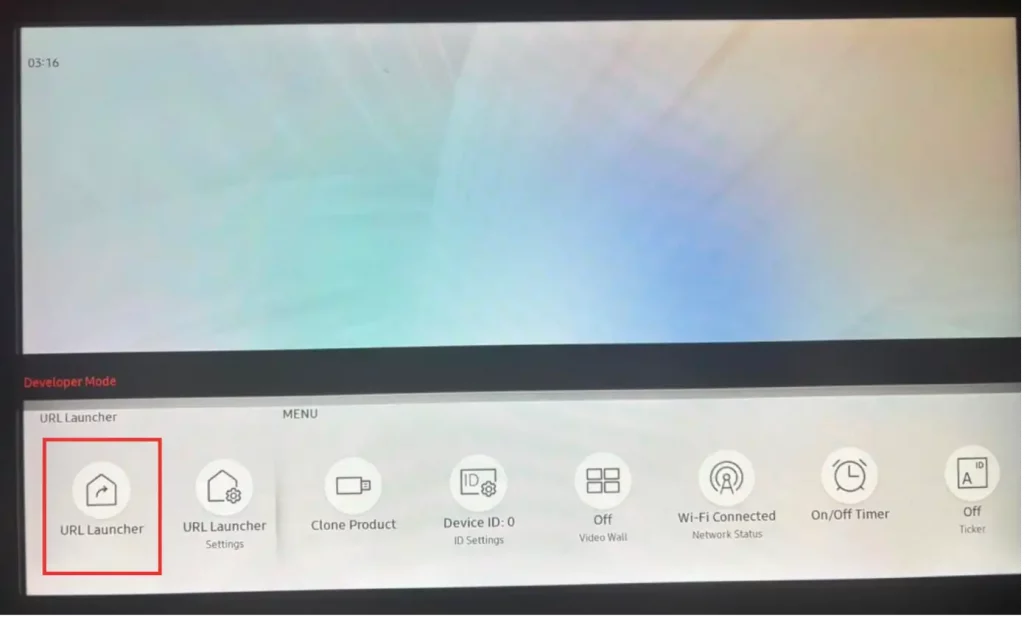
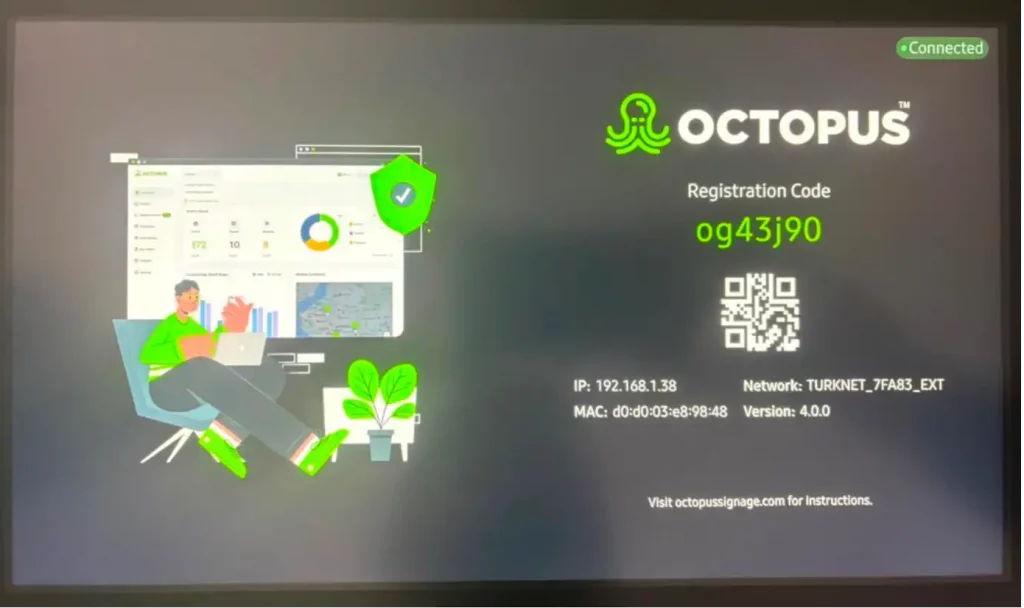
You can download Octopus to your Samsung Tizen4 device from the link here:
https://getocto.net/tz/Octopus.wgt
To install apps and add them to the Home Screen, follow these steps:
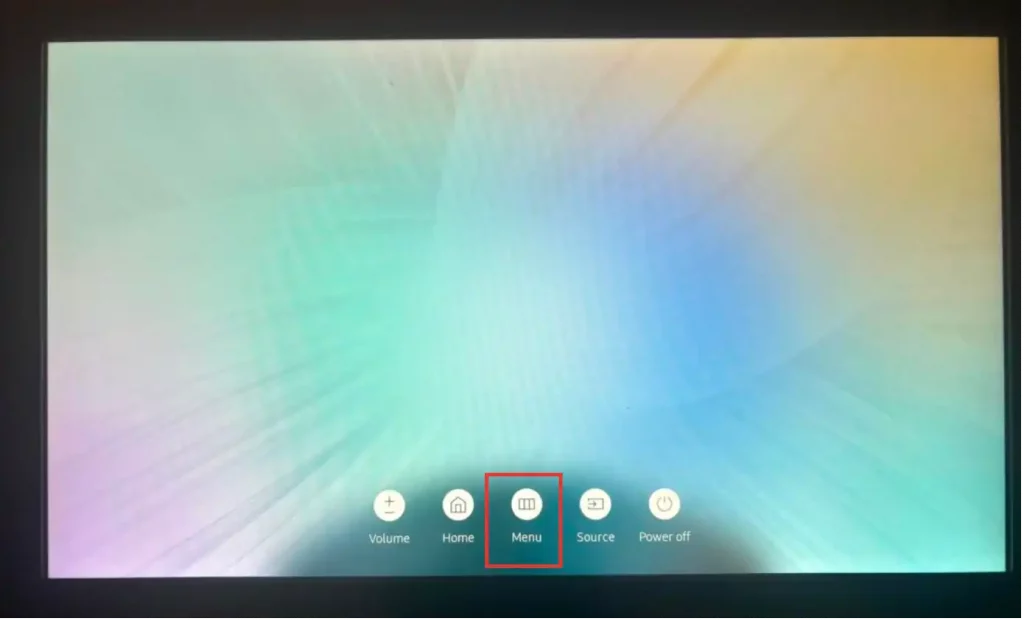
- Press the 'Menu' button.
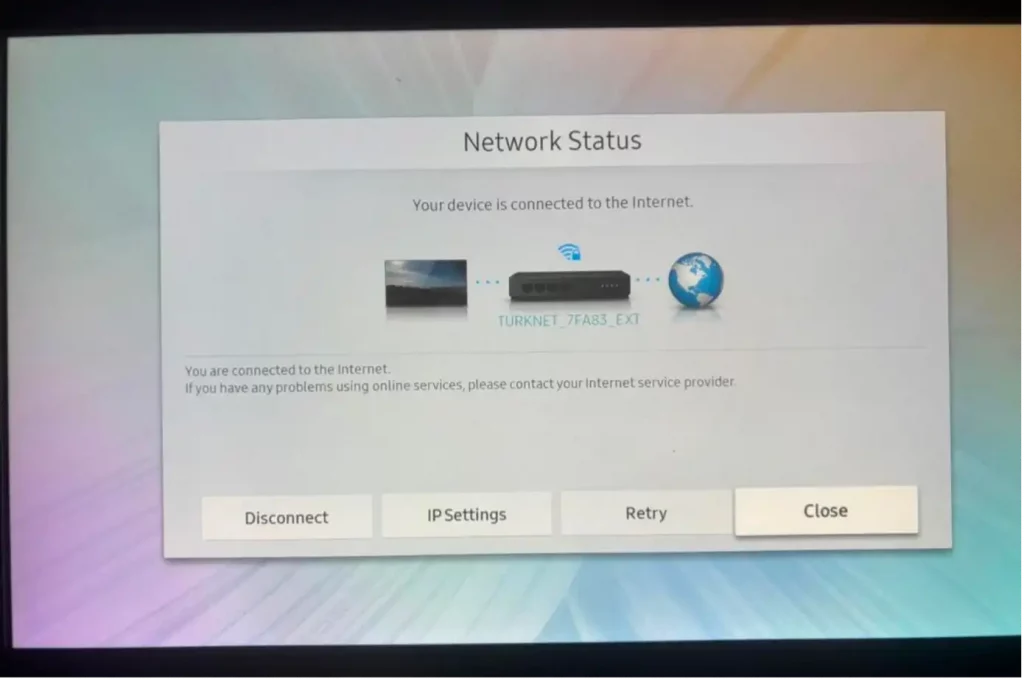
- Go to the Network option and press 'Network Status'.
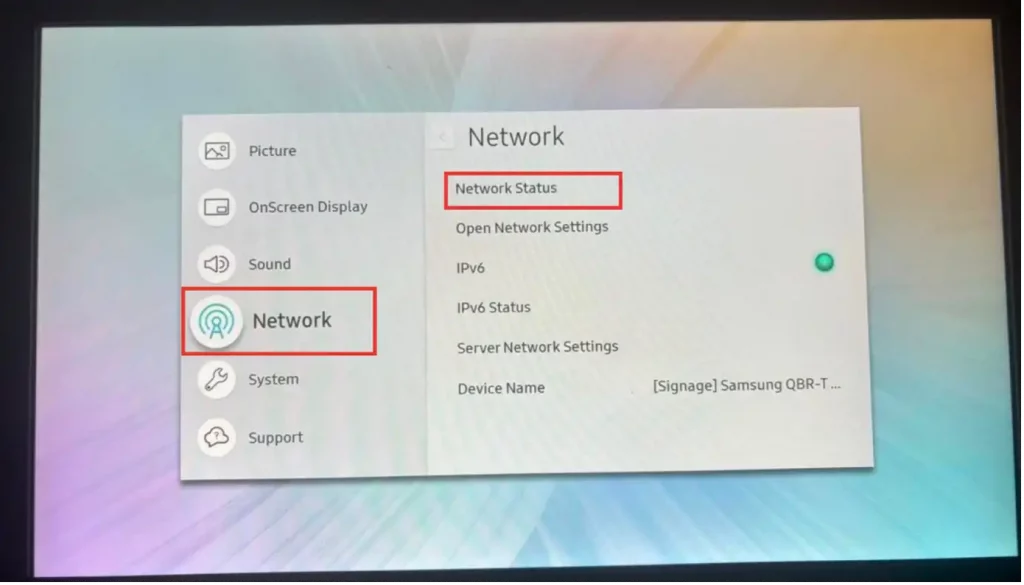
- In this area, the device's internet connection must be provided.
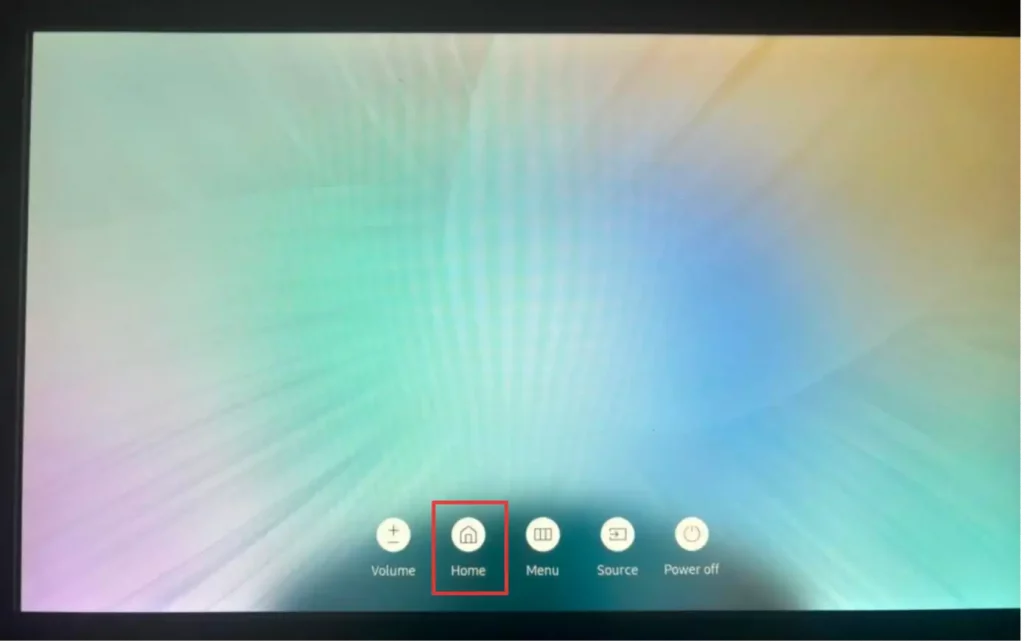
- Go to the 'Options' section again and click the 'Home' button.
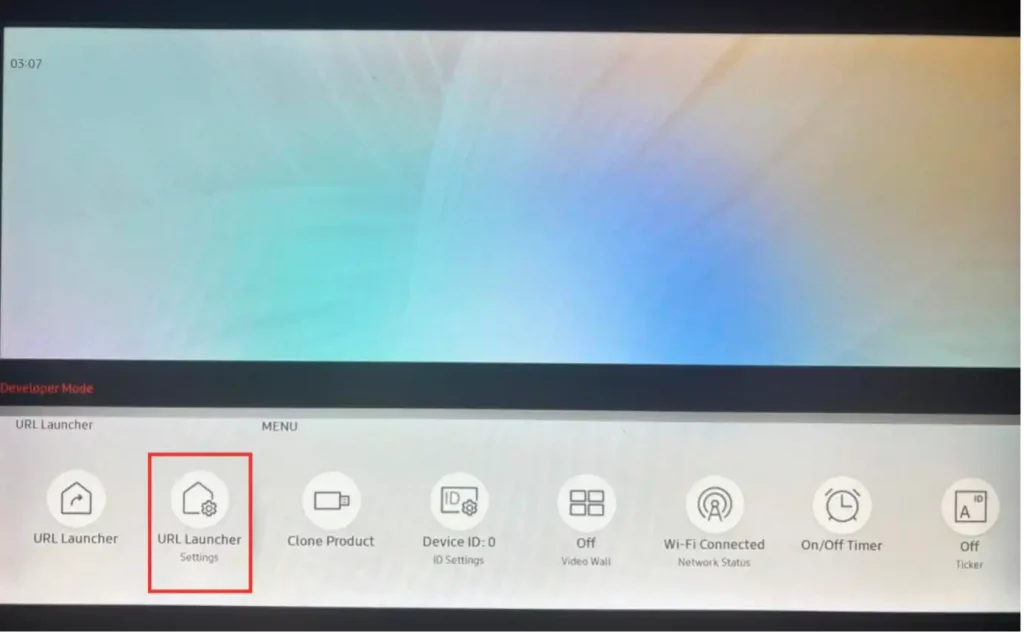
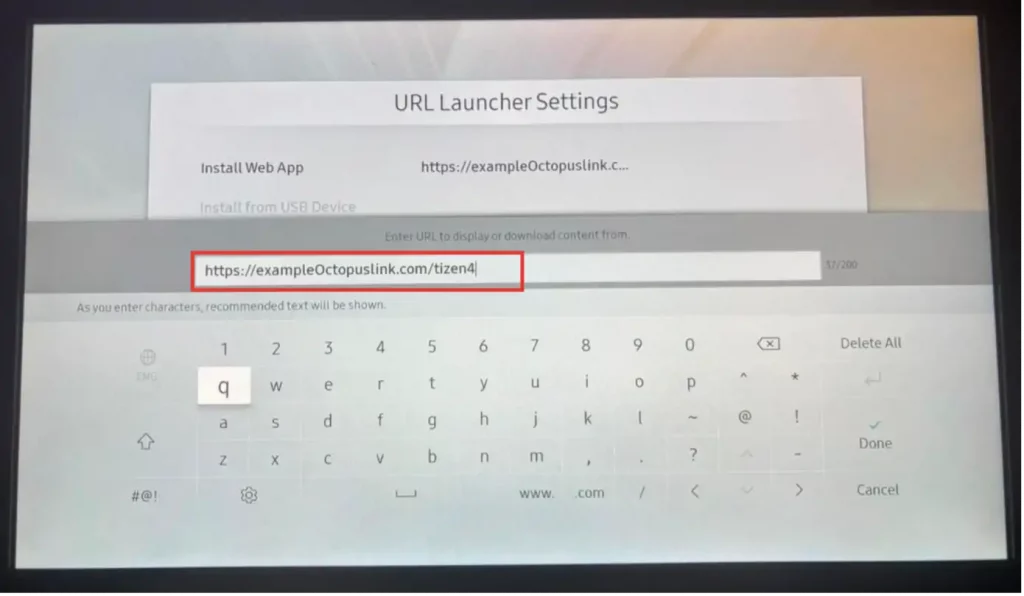
- Click 'URL Launcher Settings'.
- Click the 'Install Web App' button.
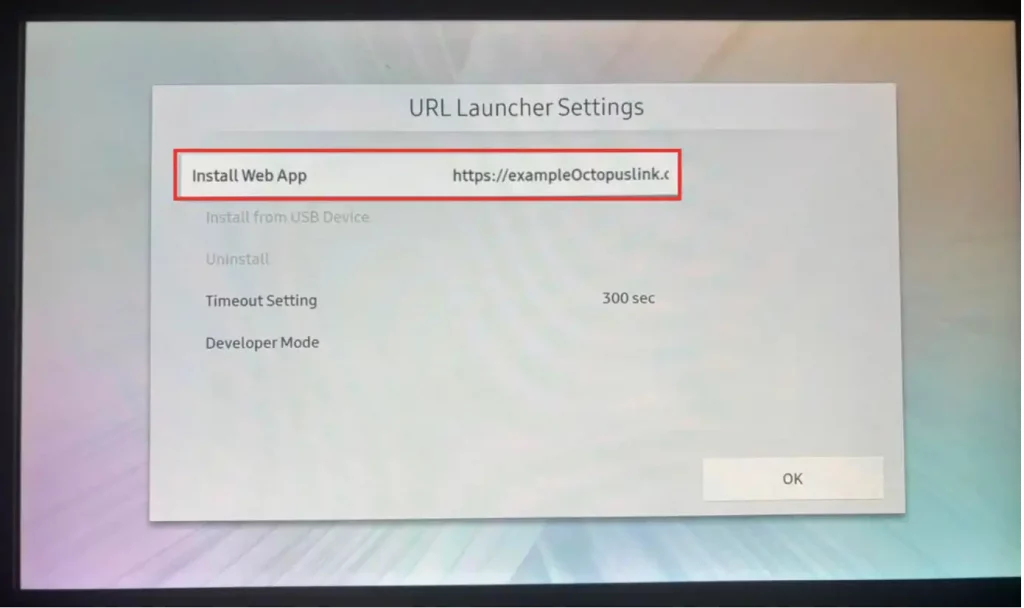
- Enter the Octopus App link, which is specific to the Tizen 4 device, in the relevant place and click the 'Done' button.
- Go back and click 'URL Launcher' and open the application.