
In the “Create Screen” section, you need to fill in the necessary information for the screen you want to create and select the programs you want.
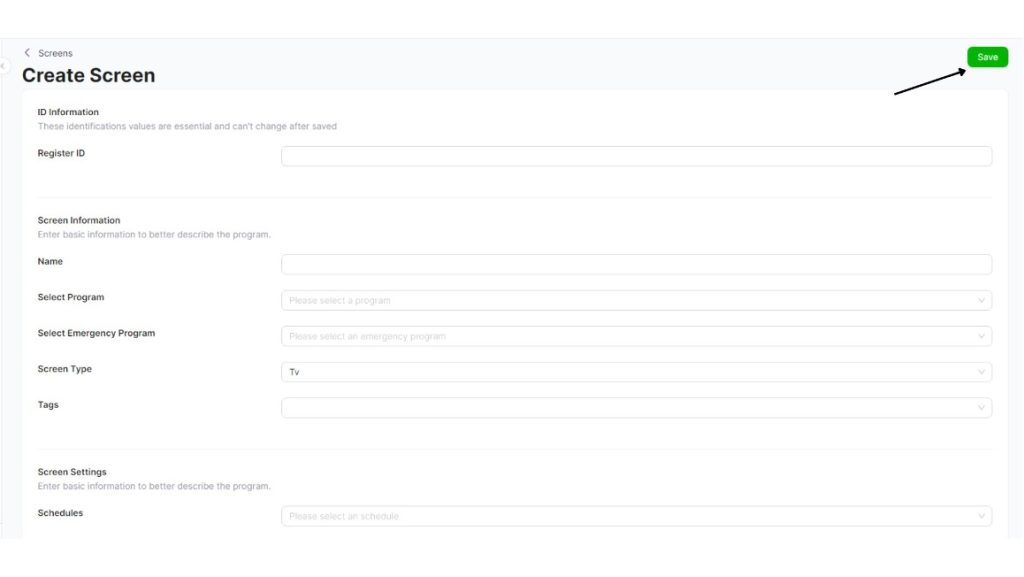
• Enter the 7-digit registration number for the screen.
• Enter a name for your screen.
• Select a broadcast schedule from the “Program” section.
• If you want to have an Emergency Program, select “Emergency Program.”
• Select the screen type.
• If there is a “label” you want to appear on your screen, you can enter it here.


