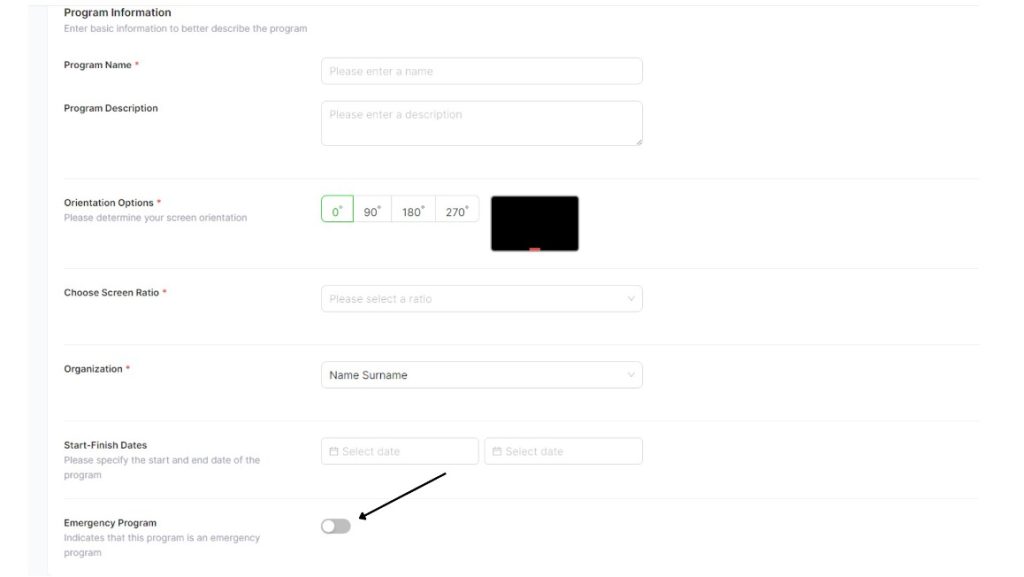
To create a program:
- First, click the “Create Program” button in the programs menu.
- Fill the information about how you want your program to run and schedule it.
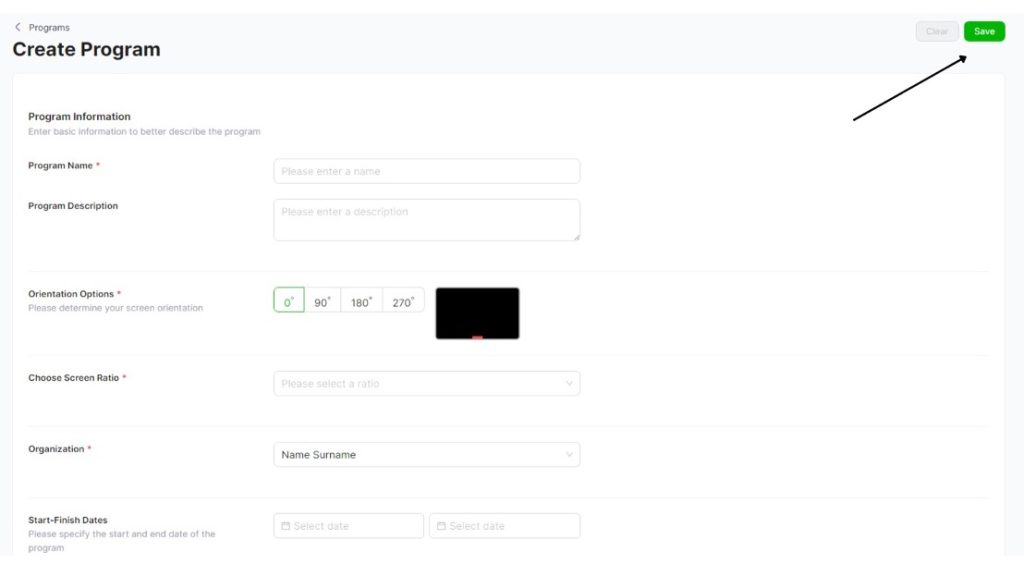
- First, enter a name for your program.
- You can write a description of the program.
- In the Orientation Options section, you can select the device’s orientation as landscape, portrait, 90 degrees clockwise, or 90 degrees counterclockwise.
- Aspect Ratio: In this option, you can select your desired video width and height.
- Organization: Select which Organization the created program belongs to.
- Start – End Dates: You can select the start and end dates for your program.
- To create an emergency program, click the last checkbox in the bottom corner.
- Click the “Save” button in the top right corner.
- Your program will now be created.